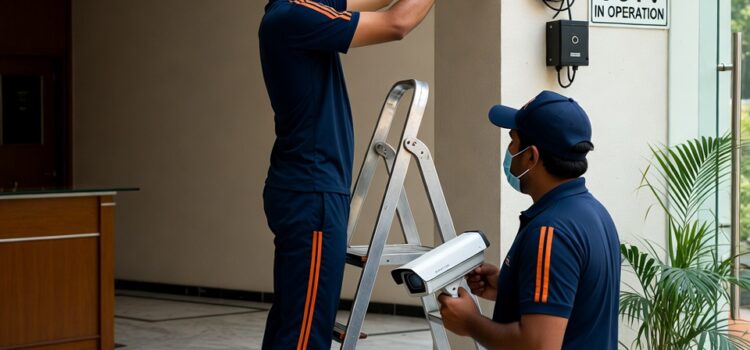
December is one of the busiest months for housing societies and restaurants in Mumbai, Thane and Navi Mumbai, so this is the right time to do a full year‑end CCTV health check before Christmas and New Year events. Use the checklist below for IP‑based CCTV systems (IP cameras + NVR).
1. Basic recording and retention checks
– Log in to the NVR and confirm that every camera channel is recording (look for “R” or record icons, and check the record schedule).
– Play back footage from:
– Today
-20 days ago
– Your target retention day (for example, day 15, 30 or 45)
to confirm there are no gaps or missing days.
– Note how many days of video you actually have; most systems are set between 15–30 days for housing societies and restaurants, depending on hard‑disk size and resolution.
– If older dates are overwriting too quickly, review recording settings (continuous vs motion, resolution, bit‑rate) and increase storage or adjust quality.
– Verify date and time are correct on the NVR so playback matches real‑world incident times.
2. Live view and camera status
– Check the NVR live view screen and confirm all cameras are online (no black screens, “no video” or network error messages).
– Confirm each camera name and location label is correct (for example, “Main Gate”, “Parking Basement 1”, “Restaurant Cash Counter”) to avoid confusion during incidents.
– For PTZ cameras, test pan, tilt and zoom to ensure smooth movement and response from the NVR or client software.
3. Night‑vision and low‑light test (very important for December events)
– After dark, stand in key areas (society gate, parking, lobby, restaurant entrance, bar counter) and check live view quality:
– Faces must be recognisable.
– Clothing colours should be reasonably clear if the camera supports colour at night.
– No over‑exposed bright spots or completely dark corners.
– Switch lights off (if possible) to confirm IR or warm white LEDs turn on automatically and cover the required distance.
– Check for:
– Glare from decorative lights or headlights
– Fairy lights or Christmas decor blocking the lens
– Strong backlight near glass doors and windows
and adjust camera angle or lighting if needed.
– Review recorded night footage from the previous evening to confirm actual recording quality, not just live view.
4. Physical inspection of IP cameras
– Inspect each camera for physical damage, loose mounting, tampering or misalignment (often caused by wind, cleaning or maintenance work).
– Clean the lens and dome with a soft microfiber cloth; remove dust, fingerprints, spider webs and insect nests that can blur the image.
– Check outdoor housings, seals and junction boxes for water ingress or corrosion, especially after monsoon.
– Ensure no new banners, plants, hoardings or décor are blocking the camera view; adjust the field of view to remove blind spots.
5. Network and power health (IP systems)
– Confirm all PoE switches or power adaptors show normal status (no warning LEDs, overheating, or frequent reboots).
– Check network cables and connectors at cameras, switches and NVR for tight connections and no visible damage or bending.
– Make sure your internet router and upload speed are sufficient for remote viewing, especially if many committee members or restaurant staff will access mobile apps during December.
– Test power backup:
– Invertor/UPS load and battery health
– Approximate backup time for NVR, switches and cameras
to ensure recording continues during power cuts or late‑night events.
6. Image quality and coverage review
– On each camera, check:
– Focus and sharpness
– Correct resolution and bit‑rate settings
– Proper brightness, contrast and colour balance.
– Walk through important paths (gate to lobby, parking to lift, restaurant entrance to billing counter) while another person watches the live feed, to confirm continuous coverage and no blind spots.
– Verify that critical areas for December parties are well covered:
– Society banquet / community hall
– Terrace or garden party area
– Restaurant dining area, bar, billing and entry/exit doors.
7. NVR health, storage and logs
– Check NVR system information for:
– HDD status (no bad sectors or error warnings)
– Free space and total capacity
– Any temperature or fan alerts.
– Confirm all disks are detected and set to record; replace or add disks if any show repeated errors.
– Review system logs for frequent reboots, network disconnections or HDD errors in the past 30 days.
– Test backup:
– Export a short clip to USB and play it on a separate PC
to confirm backup files are usable in case of incidents during Christmas or New Year parties.
8. Alerts, remote access and user accounts
– Test motion detection or event‑based alerts on at least a few key cameras (main gate, restaurant entrance) to ensure notifications work correctly if enabled.
– Open the mobile app (Android/iOS) used by society members or restaurant owners and check:
– Live view from multiple cameras
– Playback for at least one past day
– Switching between Wi‑Fi and mobile data.
– Review user accounts on the NVR:
– Remove ex‑staff or ex‑committee logins
– Change weak or default passwords
– Give only necessary rights (view, playback, export) as per role.
9. Documentation and service planning
– Create a simple log for December 2025 noting:
– Date of inspection
– Cameras checked and any issues found
– NVR recording days and HDD status
– Night‑vision test result for key areas.
– For AMC customers, share this report with your CCTV service provider and schedule a preventive maintenance visit before the main festival dates if you notice:
– Blurry or dark images
– Random recording gaps
– Cameras frequently going offline.
– Repeat a quick mini‑check (recording + night‑vision + live view) just before major functions like Christmas Eve, 31st December and big society events to ensure everything is ready.